AI TOOL / #01477
OppenheimerGPT: two AI brains, one app!
A macOS app for using Google Bard and ChatGPT side by side.
Introduction
macOS app to use Google Bard and ChatGPT side-by-side.
What is OppenheimerGPT?
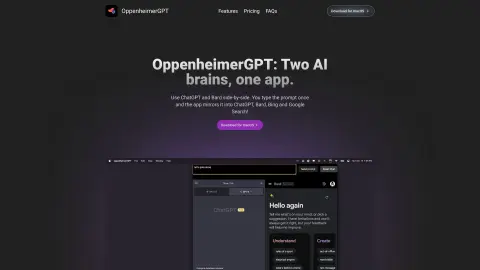
OppenheimerGPT is a macOS app that allows users to use AI models such as Google Bard and ChatGPT side by side. It sends the user’s prompt to both Bard and ChatGPT simultaneously, providing answers from both platforms. The app runs in the menu bar for quick access and supports standalone windows for researching multiple topics. It offers a free basic version and a paid Pro version with additional features.
How do I use OppenheimerGPT?
Enter your prompt in the OppenheimerGPT app, and it will automatically forward the prompt to Google Bard and ChatGPT. Then, submit the prompt to receive answers from both AI models.
Key Features of OppenheimerGPT
A Side-by-Side Comparison of AI Models (ChatGPT and Gemini/Bard)
Tip: Mirror to Multiple AI Platforms
Menu Bar Access for Ease of Use
Supports separate windows for multiple research topics
Related
TalkingPdf.io – Chat with any PDF
Chat with PDFs using AI to quickly find answers and summaries.
Zappr.AI
An artificial intelligence-based chatbot platform used for document analysis and search, capable of handling natural language interactions.
HybridAI
HybridAI: AI chatbot with emotional awareness, function invocation and human takeover.
ChatGPT on Telegram
Access ChatGPT within Telegram to obtain answers and assistance quickly.
ZykaAI
An AI-driven digital adoption platform designed for SAAS websites, aimed at enhancing user experience and providing greater support.
Solace AI
A platform for AI-powered document interaction, summarization, and context-aware answers.