AI TOOL / #02529
Text to Google Calendar
Chrome extension: Allows users to create Google Calendar events directly from highlighted text.
Introduction
Chrome extension to create Google Calendar events from highlighted text.
What is the Text to Google Calendar AI Chrome extension/plug-in?
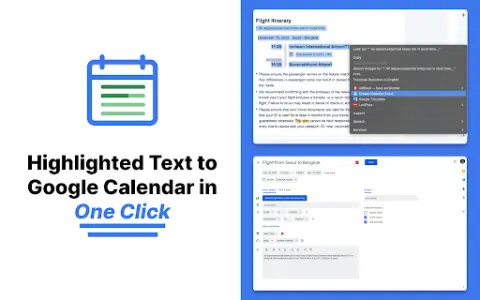
Text to Google Calendar is a Chrome extension designed to simplify the process of creating events on Google Calendar. It allows users to highlight text from emails or web pages and convert that text into calendar events with just one click, eliminating the need to manually copy and paste event details.
How to use the Text to Google Calendar AI Chrome extension?
Install the Text to Calendar Chrome extension. Highlight the relevant text containing event details (date, time, description, location) on a web page or in an email. Click the extension icon, and it will automatically use the extracted information to create a Google Calendar event.
The core functionality of the Text to Google Calendar AI Chrome extension.
Click to create an event based on the highlighted text.
Automatically fill in the time zone, location, and event details.
Easily create multiple and duplicate calendar events.
Related
SpeechFlow – Advanced Speech-to-Text API
Multilingual speech-to-text API, offering high accuracy in 14 languages.
Whisper Wizard
MacOS applications that convert voice into text, when used in conjunction with ChatGPT, can significantly enhance writing efficiency.
webml-speech-recognition
A local Chrome extension that supports speech recognition via files, tags, and the microphone.
Voice Transcription
A Chrome extension designed for recording voice messages and quickly obtaining high-quality instant transcriptions.
Pickupon
AI cloud telephony for internal sales, automating SFA input and improving productivity.
MemFlow
A memory assistant for Mac that allows users to record information and enables semantic searches.