AI TOOL / #02660
Grok Button
A browser extension that provides quick access to Grok AI.
Introduction
A browser extension for quick access to Grok AI.
What is a Grok Button?
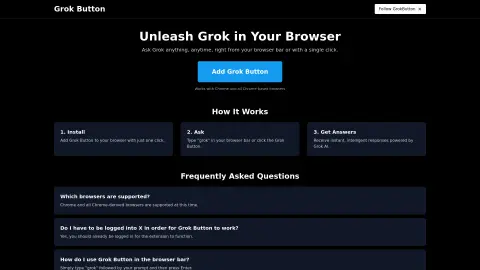
The Grok button is a browser extension that seamlessly integrates the powerful capabilities of Grok AI into your web browser. Users can submit their questions by entering “grok {your question}” in the browser address bar or by clicking the Grok button, and they will receive instant, intelligent responses.
How to use the Grok Button?
Install the Grok button extension. To use it, enter “grok” followed by your question in the browser address bar, then press Enter, or click the Grok button.
The core functionality of the Grok Button
Quickly access Grok AI from your browser.
Answer questions immediately
Integration with Chrome and Chrome-based browsers
Related
Ask YC
A semantic search tool for the YC content library, no longer supported.
AI-Powered Web Exploration – WebQuery
AI tools for understanding web content and generating questions.
Internet.io
A platform that integrates top-tier AI engines to provide reliable insights and enable the creation of customized agents.
Maia AI Voice: For Couples
An AI relationship app that helps couples improve communication and strengthen their connection with each other.
Tiimo
A visual scheduling tool designed to assist individuals with ADHD, autism, and those in need of executive function support.
Tarotia
An AI-powered online Tarot reading app that offers personalized insights, available 24/7.