AI TOOL / #03007
Design My Room
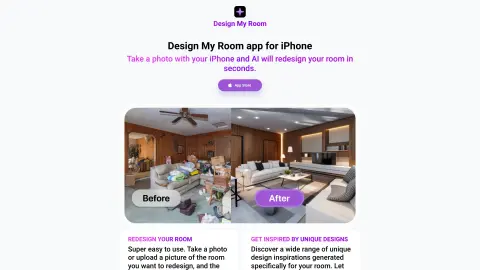
Let AI-generated designs help you redesign your room in just a few seconds.
Introduction
Redesign your room in seconds with AI-generated designs from a single photo.
What is “Design My Room”?
The “Design My Room” app allows you to completely redesign your room in just a few seconds, all by taking a single photo. Simply take a picture of your room, and the iPhone app will provide you with 5 different design options. It’s extremely easy to use: just take a photo or upload an image of the room you want to redesign, and the app will generate 5 unique design ideas. Discover a range of creative designs specifically tailored for your room – let this app inspire your home renovation project!
How to use Design My Room?
Use your iPhone to take photos of the room, or upload existing images. The app will generate five different design ideas for your room.
The core functions of Design My Room
Redesigned rooms powered by AI
For each photo, 5 different design options are generated.
Easy photo upload
Unique design inspiration
Related
edCode
EdCode is a platform that makes learning programming easier and more accessible through gamified courses.
AIToolGo
A platform for discovering AI tools and learning resources, equipped with an AI search assistant.
EngineerNow
A platform for engineers to create their resumes and pursue their career development.
Clixie AI
Clixie AI turns videos into interactive experiences with quizzes, chapters, and more.
Canvas AI Builders Program
A two-week sprint program aimed at taking AI agents from idea to production-ready.
Blend-ed
An AI-powered learning management system that provides personalized training and knowledge management.