AI TOOL / #03399
Snipo
Snipo allows users to record video notes with timestamps in Notion and generates AI-based flashcards as a result.
Introduction
Snipo takes timestamped video notes in Notion with AI flashcards.
What is Snipo?
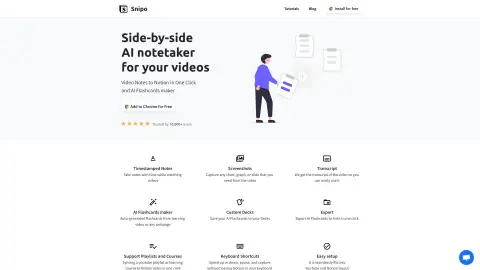
Snipo is a tool that allows users to take timestamped notes directly within Notion while watching videos. As users navigate through the content, the tool synchronizes seamlessly with the course material. Its features include split-screen mode, screenshot capture, and video clip recording. It also enables the creation of AI flashcards from learning videos or any web pages.
How to use Snipo?
Install the Snipo Chrome extension. When watching videos on platforms such as YouTube, Udemy, Coursera, Skillshare, or LinkedIn Learning, use Snipo to take timestamped notes, which will be automatically synchronized to your Notion workspace. You can also capture screenshots and video segments, and use these to generate AI flashcards based on the video content.
The core functions of Snipo
Take notes with timestamps in Notion.
AI flashcard generation
Screenshot and video clip capture
Accessible text transcription
keyboard shortcuts
Supports the playback of playlists and courses.
Related
reccloud.cn
AI audio and video processing platform providing transcription, translation and editing tools.
Veedy AI
An artificial intelligence platform that converts static images into dynamic animated advertisements and enables data-driven optimization.
Calorie Tracker
For the application of calorie calculations in the food industry, GPT-Vision is utilized to estimate and assess nutritional values.
Dreamshorts
AI tools are used to create scripts and video content that does not infringe on copyright.
WhisperTranscribe
Artificial intelligence-based transcription and content generation service with high accuracy and multiple functions.
StreamLadder
StreamLadder allows you to easily convert videos from Twitch or YouTube into formats suitable for TikTok, Reels, or Shorts – and all of this completely for free.