AI TOOL / #05876
Do Browser
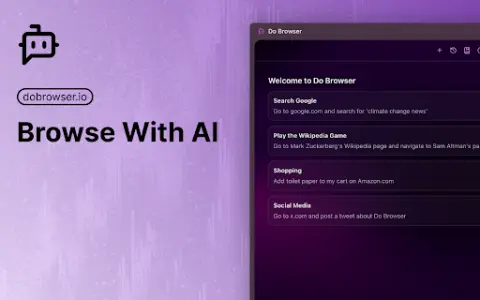
An AI-powered Chrome extension that enables control of the browser via natural language commands.
Introduction
AI-powered Chrome extension for browser control using natural language.
What is a Do Browser AI Chrome extension/plug-in?
Do Browser is an AI-powered extension for Chrome that allows users to control their browser using natural language commands. It provides quick access through the address bar or keyboard shortcuts and also supports voice commands. Its purpose is to simplify tasks such as filling out forms, shopping, and navigating complex web interfaces.
How to use the Do Browser AI Chrome extension/plug-in?
Enter “do” in the address bar or use the shortcut keys Cmd+K/Ctrl+K to activate the Do Browser. Then, use natural language commands to instruct the extension to perform tasks within the browser.
What are the core functions of browser AI Chrome extensions/plugs?
Natural Language Browser Control
Access via the address bar and keyboard shortcuts
Voice command support available
Related
AI Dating Assistant
An AI-based dating assistant that helps with creating profiles, generating photos, and responding to messages.
COMUGI
An AI assistant for dating app communication.
AI Love Advice
An app for friends and elders to seek and offer love advice.
dataing
An AI-based matching app that connects to social media for personalized dates, no swiping required.
YouApp
A social matching platform that leverages AI and meta-scientific wisdom to connect and meet.
GPT-EW
A ChatGPT-powered Chrome extension that brings AI-enhanced browsing and real-time assistance to any website.