AI TOOL / #06413
Audiotext AI
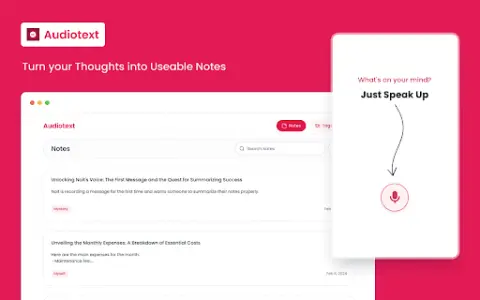
Audiotext AI converts audio to text, removes filler words, and offers multiple transcription styles.
Introduction
Audiotext AI converts audio to text, removing filler words and offering various transcription styles.
What is the Audiotext AI AI Chrome extension/plugin?
Audiotext AI can convert audio into accurate text by removing unnecessary words and generating concise summaries. It allows users to transcribe speech into text, offering multiple styles such as short summaries, bullet points, passive voice, and active voice.
How do I use the Audiotext AI Chrome extension/plugin?
1. Speak naturally, including filler words. 2. Choose a transcription style (short summary, long summary, bullet points, etc.). 3. Click "Transcribe."
Core features of the Audiotext AI Chrome extension/plugin
Audio to text
Remove unnecessary words.
Concise Summary
Rewriting with AI for style adjustment
Shareable note link
Related
Data Extraction
Utilize artificial intelligence to transform images and documents into organized, usable information.
ASSIST Biz
ASSIST is a document management software for financial recordkeeping with automated data extraction capabilities.
FormToExcel
Use AI to convert forms and images into Excel files, thereby enabling automatic data extraction.
O.Translator
AI-based document translation tool that maintains the original format.
AnyParser
AnyParser simplifies the process of data entry by enabling accurate data extraction and providing effective privacy protection measures.
Pizi – AI Assistant for Multiple PDFs
An AI assistant designed for multi-file analysis, document summarization, translation, and the solution of mathematical problems.