AI TOOL / #06631
Voice-to-ChatGPT
Voice-controlled ChatGPT interactions via browser plug-in.
Introduction
Voice-controlled ChatGPT interaction via a browser extension.
What is the Voice-to-ChatGPT ai chrome extension/plugin?
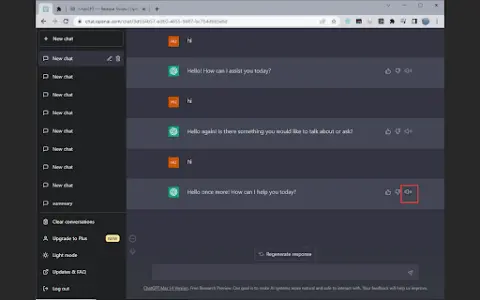
Voice Control ChatGPT is a browser plug-in that allows users to interact with the ChatGPT language model through voice. It leverages Google Chrome's speech recognition and text-to-speech technology to enable users to use voice input and audible replies from ChatGPT. Users can hold down the button to speak their question, release the button to send, and optionally cancel or edit before sending.
How to use Voice-to-ChatGPT ai chrome extension/plugin?
Open the ChatGPT homepage, press and hold the Talk button to speak, and release the button to send your question. You can cancel or edit your entry before sending.
Voice-to-ChatGPT ai chrome extension/plugin core functionality
Voice input to ChatGPT
Text-to-speech output for ChatGPT
Major languages supported
Press and talk function
Related
Scrumball Lite
A Chrome plug-in for Amazon merchants that displays videos from influencers to enhance the shopping experience.
ChatMe.At
A code-free platform that allows users to build web applications using visual editors.
Ivee
Ivee is a B2B influencer marketing platform that helps businesses collaborate with industry experts.
CodiBot
AI chatbot solutions designed to enhance customer support, sales efforts, and overall productivity.
fellowtool.nl
A social media planning tool that includes features for content planning, approval processes, analysis, and AI-assisted functionality.
FeedHive
An artificial intelligence-powered social media management platform used for content creation, scheduling, and analysis.