AI TOOL / #06740
Scribe GPT
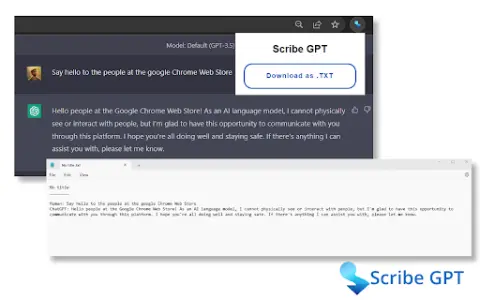
A Chrome extension designed to save, share, and export ChatGPT conversations in TXT format.
Introduction
Chrome extension to save, share, and export ChatGPT conversations as TXT files.
What is Scribe GPT ai chrome extension/plugin?
Scribe GPT is a Chrome extension designed to simplify the process of saving, sharing and exporting ChatGPT conversations. It allows users to download AI-generated conversations as TXT files, providing a convenient way to save records of discussions, ideas, and interactions with ChatGPT.
How to use Scribe GPT ai chrome extension/plugin?
Install the Scribe GPT Chrome extension. It integrates seamlessly with ChatGPT. After using ChatGPT normally, click the Scribe GPT button to download the conversation as a TXT file.
Core features of Scribe GPT ai chrome extension/plugin
Download ChatGPT conversations as TXT files with one click
Seamless integration with ChatGPT
Save locally to ensure privacy and security
Related
crystl
Terminal for managing multiple AI programming agents on macOS
Flova AI
Animation and Film/TV Applications for AI Video Agents
Nico
Voice AI assistant on Mac
WebGameHub
A website featuring 54 free HTML5 mini-games based on classic games – simply open the page and start playing. These games cover seven major categories, including puzzle, action, arcade, and card/racing games. There are no pop-up ads, and no registration is required for downloading them.
Valin
An AI that can use simple language to help users find and organize their collected content.
Dolphin Emulator
The most renowned open-source simulation project for the GameCube and Wii, compatible with multiple platforms including Windows, macOS, Linux, and Android. It is known for its high level of compatibility and improved graphics quality, supporting 1080p/4K resolution output. It is the ideal choice for experiencing classic games such as “The Legend of Zelda: A Link to the Past” and “Mario Kart Wii”.