AI TOOL / #07082
SeeHear – Text Capture
An iPhone app that instantly converts text displayed on the camera into speech.
Introduction
iPhone app that converts camera text to speech instantly.
What is SeeHear – Text Capture?
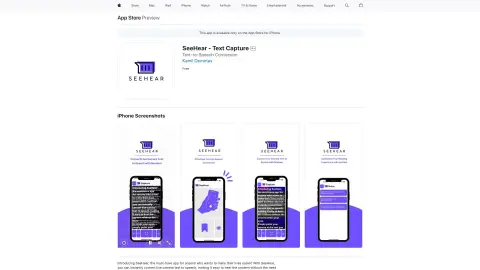
SeeHear is an iPhone application that can instantly convert text displayed on the live camera into spoken words. Users can point the camera at the text, and the app will automatically recognize it and read it out aloud. Additionally, users can take photos of the text and save them for future reference. This tool is designed to assist people with visual or reading impairments, as well as those who simply want to save time by having texts read aloud for them.
How to use SeeHear – Text Capture?
Simply point your iPhone’s camera at the text you would like to have read aloud. SeeHear will automatically recognize the text and read it out for you. You can also take a photo of the text for future use.
The core functionality of SeeHear – Text Capture
Real-time text-to-speech conversion using a webcam
Save the captured text to the iPhone’s photo album.
The text size and font type can be customized.
Save and share the captured text.
Related
Giftylist.com
An AI-driven gift recommendation website designed to help users find thoughtful and unique gifts.
Intelli Gift
AI-powered gift advisor offering personalized gift recommendations for any occasion.
Longist
An application that uses AI to determine the impact of food on lifespan, measured in minutes.
Healactively back wellness app
An AI-powered personalized back health application that offers physical therapy, relaxation techniques, and lifestyle guidance.
Prefit.AI
AI assistants for healthcare, fitness, and overall well-being – automating tasks while providing valuable insights.
Ai Calories Tracker & Scanner
AI-based app that scans food and provides nutritional information and healthier alternatives.