AI TOOL / #07221
GPT-4 Vision Screenshot
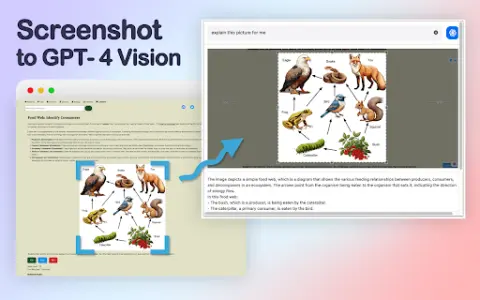
A tool that uses GPT-4 visual AI to extract answers from screenshots.
Introduction
A tool that extracts answers from screenshots using GPT-4 Vision AI.
What is the GPT-4 Vision Screenshot AI Chrome extension/plug-in?
GPT-4 Visual Screenshot is an innovative tool that allows users to select any area of the screen and pose relevant questions. GPT-4 Visual then directly extracts answers from the screenshot, intelligently interpreting the visual content with remarkable accuracy. By providing a fast, in-depth, and interactive search experience, it has completely transformed the way people obtain information.
How to use the GPT-4 Vision Screenshot AI Chrome extension/plug-in?
With just a simple shortcut key, you can select any area on the screen. Once you pose a question related to the selected area, GPT-4 Vision will directly extract the answer from the screenshot.
The core functions of the GPT-4 Vision screenshot AI Chrome extension/plugin
Use GPT-4 visual AI to extract answers from screenshots.
Related
binah.ai
An artificial intelligence-driven health and wellness monitoring platform based on video technology.
FacePoke
A free online AI facial editing tool, used for manipulating expressions and features.
Imentiv AI
An emotional AI platform used for analyzing and creating content that is rich in emotional elements.
EyeShapeAI
An artificial intelligence tool that identifies the shape of your eyes by analyzing the uploaded images.
Summarize everything
Summarize long articles and videos into brief abstracts or key points.
QuickImages
A Chrome extension that enables AI-based image generation on any website, and offers features for theme and style customization.