AI TOOL / #07468
Ask Screenshot for Claude
Enhance the productivity of Claude AI through screenshot analysis and text processing techniques.
Introduction
Enhances Claude AI productivity with screenshot and text analysis.
What is the Ask Screenshot AI Chrome extension/plug-in?
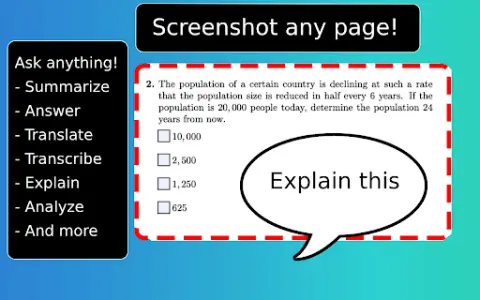
Ask Screenshot is a tool designed to enhance the productivity of Claude AI, allowing users to directly analyze screenshots or selected text within Claude AI. It offers both predefined and customizable templates for tasks such as summarization, transcription, interpretation, and translation.
How to use the Ask Screenshot AI Chrome extension?
To use “Ask Screenshot”, right-click on any page and hover your cursor over “Ask Claude” to access the available screenshot templates. For selected text, right-click on the text in question and hover over “Ask Claude” to view the relevant templates.
Discover the core features of the Screenshot AI Chrome extension/plug-in.
Screenshot analysis: Take a screenshot of the screen and automatically open it within Claude AI.
Text selection analysis: Right-click on any selected text to automatically open it in Claude AI.
Predefined templates: Use templates such as Summary, Explanation, Answer, Translation, etc.
Customizable templates: All templates can be customized to suit your workflow and specific requirements.
Related
Morphik
An open-source AI knowledge base and research platform, specifically designed for enterprise data analysis needs.
Noam – ChatGPT translate assistant & Deep Translation
An AI translation plugin designed for the translation of immersive web content.
Archer – AI-powered math tutor
An AI-based math tutoring tool that enables personalized learning.
PDFToQuiz
AI-based platform that converts PDFs, URLs or text into interactive quizzes.
Training OS
A fast, easy-to-use AI-powered tool for creating presentations, documents, and web pages.
Teddy AI
A conversational artificial intelligence learning partner designed for children, making the learning process fun and interactive.