AI TOOL / #09926
MacGaiver
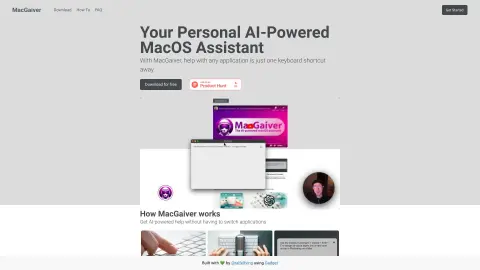
An AI-powered macOS assistant that uses computer vision to answer questions regarding any application.
Introduction
AI-powered macOS assistant that answers questions about any application using computer vision.
What is MacGaiver?
MacGaiver is an AI-powered macOS assistant that utilizes computer vision to answer questions regarding any application. By pressing a keyboard shortcut and posing your question, you can get assistance without leaving the current window. MacGaiver uses the OpenAI Vision API to provide answers in the context of your query.
How to use MacGaiver?
In any application, you can activate MacGaiver using keyboard shortcuts to submit your question—either in audio or text form. MacGaiver will then respond using answers derived from the context, relying on OpenAI GPT-V for its functionality.
The core features of MacGaiver
Provide AI-powered assistance within any macOS application.
Utilize computer vision to provide context-based answers.
Activate keyboard shortcuts
Integration with the OpenAI Vision API
Related
DeepSeek AI
An AI-powered tool for analyzing web content and providing answers.
anse
Anse is a user interface for AI chat applications that supports both OpenAI and Replicate technologies, and is also easy to expand.
Echooo Wallet
A decentralized smart contract wallet featuring multi-signature, social recovery, and AI-driven cost reduction.
Quaere
AI-powered astrology and tarot apps provide insights into horoscope predictions, chakra guidance, and relationship compatibility.
Cheerleader AI
AI-driven virtual cheerleaders, designed to provide encouragement and emotional support.
Focus Group Simulator
Fast, cost-effective software solutions and various AI applications based on large language models.