AI TOOL / #07230
hahaOCR
Extract text from the image; press the ESC key to exit.
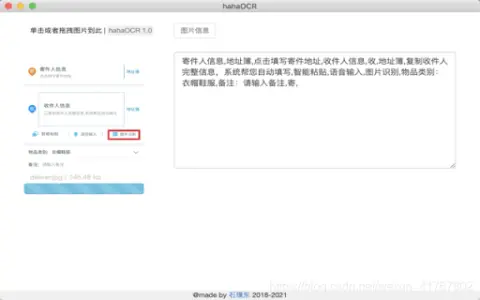
Introduction
Extract text from images and exit with ESC.
What are the Image to Text and ESC Exit App AI Chrome extensions/plugs?
This application allows users to extract text from images and convert it into editable text. Users can upload images by clicking a button and exit the application by pressing the “ESC” key.
How to use the Image to Text & ESC Exit App AI Chrome extension/plug-in?
Click the upload button to select an image. The application will automatically extract the text from the image and display it. Press the “ESC” key to exit the application.
The core functionality of the Image to Text and ESC Exit App AI Chrome extension/plugin.
Image to Text conversion
Use the ESC key to exit the function.
Related
Loomina
An artificial intelligence-driven personalized education platform designed to help individuals master any skill they wish to acquire.
Snipo
Snipo allows users to record video notes with timestamps in Notion and generates AI-based flashcards as a result.
QuizRise | AI assistant for educators and learners.
An education assistant powered by artificial intelligence, which allows for the quick creation of interactive quizzes, flashcards, and summaries.
QuizNest
A flashcard tool that utilizes machine learning technology to personalize and optimize learning sessions.
AI CARDS
Tools based on artificial intelligence, used for creating customized educational quizzes and study cards.
NoteKnight
An AI-based flashcard generator and learning tool, a competitor to Quizlet.